
Text messages and consent

A contact only ever receives messages about one person's morning check-in, and only after being told who added them.
1. The person adds a contact, and is asked to check first
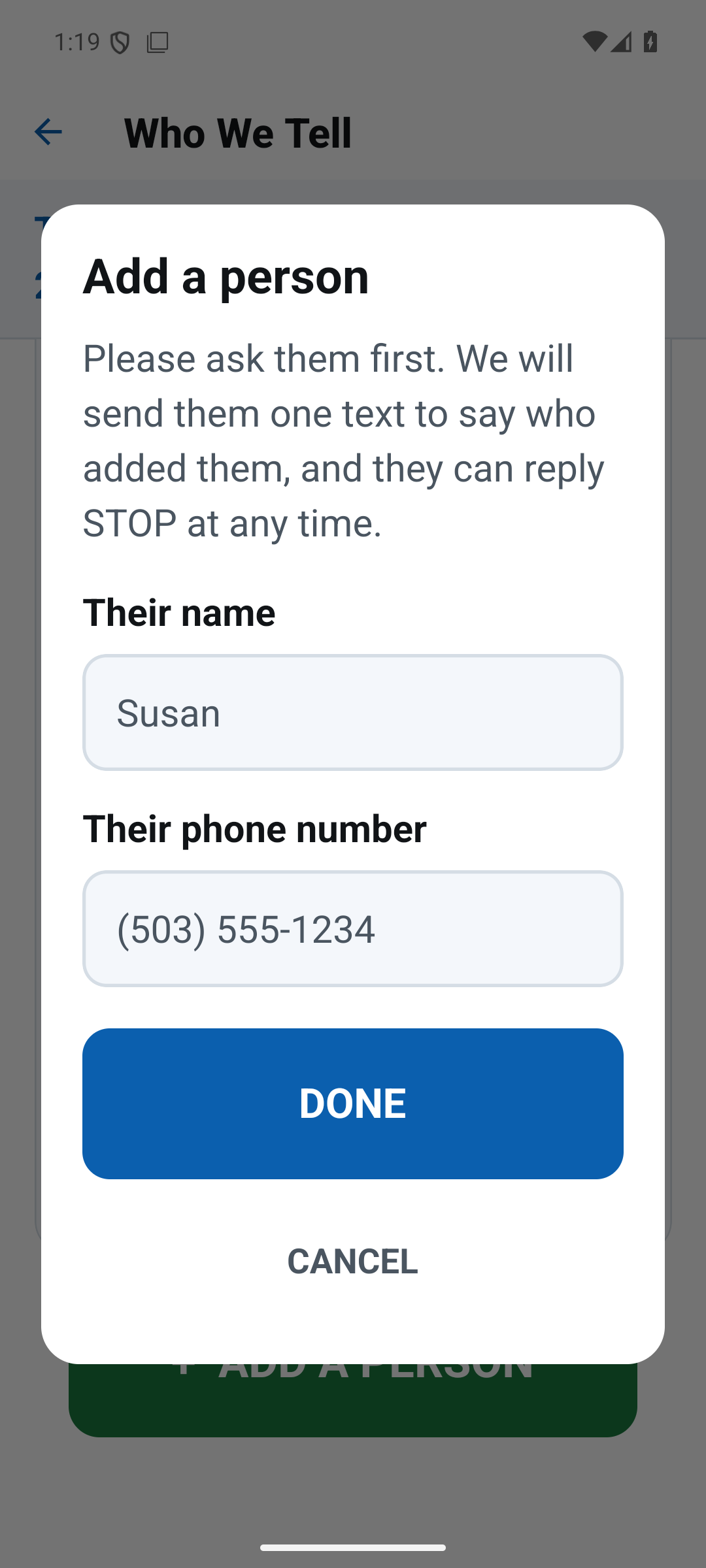
In the app, the person being checked on opens Who We Tell and taps Add a person. Before any name or number can be typed, the screen says: "Please ask them first. We will send them one text to say who added them, and they can reply STOP at any time." A contact is almost always a son, daughter, spouse or close friend who has asked to be told.
2. The contact receives one welcome text, before anything else
Support-O: Mike added you as a contact. We only text you if their morning check-in goes unanswered. Reply STOP to opt out.
3. The only other texts they can receive
Only if the morning check-in goes unanswered within the time the person chose:
Support-O: Mike has not answered their morning check-in (due 08:00). You may want to check on them.
And, if the person answers after their contacts were told:
Support-O: Mike has now answered their morning check-in. No action needed.
Stopping
Replying STOP to any message stops every text to that number immediately, and the app shows the person that the contact has opted out. The person using the app can also remove a contact at any time, which stops texts to them. Support-O sends no marketing of any kind, and phone numbers are never sold or shared beyond the messaging provider that delivers the text.
Frequency and cost
On an ordinary day no message is sent at all. At most a contact receives one welcome message, plus — on a day a morning goes unanswered — one alert and, if the person answers late, one all-clear. Message and data rates may apply.